

Tracking your nutrition can feel overwhelming, right? With so many different nutrients, it can be hard to know where to start. The Cronometer App helps simplify the process by providing precise insights into calories, macros, micronutrients, and overall diet quality. This blog will share valuable information about the Cronometer App to help you decide if it’s the right nutrition tracker for your goal. how are calories measured.
Goldi AI’s calorie tracker is one of the most reliable nutrition trackers on the market. Whether you want to lose weight, gain muscle, or support a specific health condition, this app can help you reach your objectives.
What is the Cronometer App?
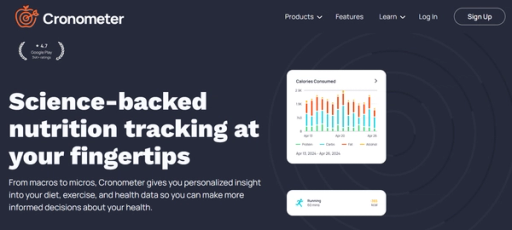
When tracking your micronutrient intake, Cronometer is one of the best apps. The Cronometer app has a massive database of over 1 million foods, including many brand names and custom entries. The app also focuses on accuracy, using information from the USDA for most of their nutritional data. Cronometer verifies user-added entries before they’re accepted into the database, allowing you to create custom foods with reliable information.
The Cronometer app is also straightforward to use. You can add foods by searching for them in the app’s search bar, scanning barcodes, or choosing from recently added items for quick entry. The app’s home screen displays your remaining calories, carbs, fat, protein, and micronutrients to help you easily track your daily goals.
Getting Started With Cronometer
To begin using Cronometer:
- You must first create a free account. When signing up, you will provide basic information like your name, age, and gender.
- You’ll disclose your health goals, such as weight loss, muscle gain, or general nutrition improvement. Cronometer will calculate your personalized calorie and macronutrient targets. If you’re working with a nutrition coach or already have a plan, you can skip this step and manually enter your goals.
- Once you start using the app, you’ll discover that Cronometer offers much information beyond simple calorie counting. The app tracks your over 80 micronutrients, including vitamins, minerals, and antioxidants, to help you meet your unique nutrition needs.
- With Cronometer, you can also monitor your progress over time and customize your targets as you reach your goals.
How Accurate Is Cronometer?
Cronometer is one of the most accurate nutrition-tracking apps available. The app uses USDA data for most of its nutritional information, which is reliable and scientifically backed. Cronometer verifies all user-added data before it’s accepted into the app’s database. This means when you create custom foods, the information is accurate and has been checked for reliability.
Cronometer also allows you to track your intake of specific nutrients to help you meet your health goals. For example, if you’re low in calcium and need to boost your intake for better bone health, you can monitor your progress as you eat foods high in this micronutrient.
Is the Cronometer App Worth It?

If you’re a competitive athlete following a structured meal plan or a fitness guru working toward a goal, a nutrition tracking app can help you accomplish your objective. Cronometer is more than just a calorie counter—it tracks 84 nutrients to help you identify deficiencies in your diet that could be holding you back from performing your best.
While a food tracker isn’t ideal for everyone, it can benefit some, and since Cronometer has a free version, it may well be worth it for a range of people.
Who Is Cronometer Good For?
Cronometer is an excellent choice for competitive athletes following a structured meal plan, individuals prone to nutrient deficiencies, and those who want to combine data from multiple health apps.
Who Should Avoid Cronometer?
Cronometer may not be the best choice for those with a history of disordered eating, individuals trying to learn hunger cues and practice intuitive eating, or those with a complex medical history.
App Specs
Pricing
Free with ads, $8.99 monthly, or $49.99 annually
Trial period
You can email customer support to request a trial.
Subscription options
Free, monthly, or annual
Diet types supported
All
Access to professionals
No
Custom meal plans
No
Available on
Web, iOS, and Android
Getting Started With the Cronometer App
Getting started with Cronometer is super simple. It’s available in the app store for iOS and Android users, or you can head to cronometer.com to get started on the good ol’ web. Erin Chancer, CNC, CPT, started her account on the mobile app and gave it a 4 out of 5 for its functionality. “App is easy to use but also very dense,” she says. *“There is so much that can be tracked that I felt overwhelmed at times. There is a home dashboard along with charts and reports for a visual breakdown.”*To create your profile, you’ll answer a few short questions about your statistics:
- Height
- Weight
- Birthday
- Sex
Then, you’ll be brought to your dashboard, which gives you access to your food diary, activity log, and biometric data.
Adding Food to Your Diary
The big green arrows at the top of your screen are hard to miss, and they can be used to navigate to different days of your food diary.
- To add food, you click the “add food” button at the top of the screen:
- A search box will appear in your screen’s center when you click the button.
- It’s a very smart search box. It seems to show you your most popular foods by default, so it gets faster and faster to use over time.
Creating Custom Recipes
So what if you can’t find the food you ate? (And you can’t find a good, close alternative.) Or what if you make a particular meal often and don’t want to input the individual foods every time? I did this for a few weeks before I looked this up.While it’s not apparent initially, a “FOODS” menu option is at the top. Clicking that brings you to a screen where you can add a single food or recipe. I think the UI could be improved a bit. The “add ingredients” button isn’t apparent initially, but once you know where everything is, it’s simple enough.Once you add a custom food or recipe, you can search for it when adding foods to your diary, and there’s also a tab for “custom” foods in the search input box.
How Easy Is It To View Your Overall Nutritional Intake?
As you add food to a particular day of your food diary, the nutritional intake values on the page update.By default, you’ll see:
- Overall calorie intake
- Macronutrient breakdown
- Vitamins, minerals, and amino acid breakdown.
The most critical nutrient targets are at the top of this section and color-coded to indicate if you’re short on anything. A nice feature of the Cronometer is its simplicity in showing the individual nutrient content of any food you added to that day. All the nutrient data will be updated by highlighting a food in my food list.
Food Variety on Cronometer
Cronometer pulls food data from major food databases:
- NCCDB
- USDA
- ESHA
- CRDB
That means it has data for all typical whole foods (fruits, vegetables, etc.) and major brand names for pre-prepared or packaged foods. As I mentioned, Cronometer does not have nutritional data for many specific processed or packaged foods.
Experience With the Cronometer App
Nutrition tracking apps can be game-changers when implementing lifestyle changes to achieve a health goal. Our tester, Erin Chancer, CNC, CPT, shared her experience with Cronometer, touching on the many factors that make a health app worth your time and effort. We looked at the app’s food database, accuracy, dominant features, and pricing to give you a clear picture of what you get when you sign up.
Food Tracking
We trust their food database and nutritional information when we download nutrition tracking apps. If the app doesn’t have accurate information, it defeats the purpose. Erin gave Cronometer a 3.5 out of 5 for its accuracy—not perfect, but not the worst.She breaks down her reasoning, saying, *“The meal tracker is relatively easy to use, but you’ll have to manually enter meals as recipes. This isn’t a dealbreaker if you meal prep or eat the same things daily. Otherwise, the app has a barcode scanner for you to upload your daily foods and a way to create custom food entries. When you have a meal with multiple ingredients (e.g., my daily salad lunch), unless you weigh and measure everything I eat, I’ll have to estimate the amounts, which can lead to inaccuracy in my tracking.”*It may be cumbersome for those uploading custom recipes day in and day out. But if you eat the same foods daily, it will probably be easy to stay accurate in my data.
Progress Tracking
Most people rely on nutrition trackers to study patterns in their daily diet and make changes based on their goals. Progress tracking is the game’s name, and with apps like these, we noted how Cronometer helps you track your development.
Erin gave the app a 4.5 out of 5, sharing, “There is so much that can be tracked, including macro and micronutrients, but if you want access to their fasting tracking, you will need the paid version.”
Tracking a Holistic Health Profile with Cronometer: Beyond Calories to Mood, Sleep, and Vital Stats
The app’s features are impressive, earning a 4 out of 5 for their score. Cronometer allows you to track all kinds of things, which Erin explains:“Other than meal and exercise tracking, you can track your measurements (such as biceps, calves, and hips.) You can track heart rate, blood pressure, and pulse. There is also a way to track your mood and sleep to chart your mental health. Anything you choose to track can then be added to your daily diary. The tracking is very generic, so you may have to assign your scale (1-5) to certain items. For example, I tried to track mood and could only enter numeric values.”
Analytics (Trends)
Once you start tracking your food intake for a while, you can head over to the “trends” menu option to see some pretty graphs and charts of your data.This allows you to see a more fair analysis of your overall nutrient intake and determine whether you’re really deficient in any particular nutrient. It looks identical to the daily data reports in your food diary, which makes it simple to understand.
Community
While calorie trackers and other nutrition apps make it easier to tackle your health goals independently, it’s nice to be surrounded by like-minded people. A supportive community is a bonus for tools that help those on a health and wellness journey.
The Cronometer app scores a perfect 5 out of 5 for its community. “Cronometer has a vast social media presence and access to forums where you can ask and answer user questions,” says Erin.
Pricing and Subscription Options
With the abundance of health apps out there, pricing is a factor in choosing the right program for your needs. Cronometer scores well in this department with a 4 out of 5. A free version offers limited access, or you can subscribe to Cronometer Gold for $8.99 per month or $49.99 per year ($4.16 per month).Some may find the Gold version worth the investment, as it’s easier to use and offers more health data. For example, the barcode scanner and biometric measurements are only available with Cronometer Gold.
Trial Period
Cronometer doesn’t offer a standardized trial period. They know some people may want to try the service before committing to a recurring subscription. Curious customers can email customer service and request a trial.
Customer Experience
We didn’t need customer support during our experience with Cronometer, but we certainly looked into their policies. They don’t offer a standard free trial, but their website states you can email their support team, and they’ll provide you with access to a trial period on demand.Cronometer also makes it easy to cancel your subscription if needed. It provides numbered steps to cancel through the platform you use. With five to six simple steps, you can end your subscription on your phone.
Customer Reviews
Customer reviews are mostly positive, with the app earning 4.6 out of 5 stars. Many people are pleased with its ease of use.
- “Awesome. Getting direct feedback when you track your food opens your eyes to what you’re putting in your body. The modularity and ability to track macros, micros, and calories in -calories out makes this an invaluable tool for any nutritional goal.” -Android review posted on cronometer.com
- “I love how in-depth it is. Easy to use, thorough and informative.” -iOS review from the Apple store
- “So simple I actually use it every meal.” -iOS review from the Apple store
Track Your Calories within Less Than 15 Seconds with Our Calorie Tracker App
Goldi AI transforms calorie tracking with cutting-edge AI technology. Just snap a photo of your meal, and we’ll do the rest.
Our app combines your phone’s depth sensor with advanced AI models to:
- Analyze food volume
- Identify ingredients
- Instantly calculate calories, protein, carbs, and fat content.
With 90% accuracy on visible foods and multiple tracking options like:
- Barcode scanning
- Food label recognition
- Manual descriptions for complex items like smoothies
We’ve made nutrition tracking effortless. Whether you’re scanning a full meal or a quick snack, Goldi AI
- Provides nutritional information in under 15 seconds
- Eliminates the need for tedious manual logging.
Our AI learns from your feedback to improve accuracy. It includes personalized insights and smart reminders to keep you on track. Goldi AI makes achieving your fitness goals simpler than ever. Track your calories with your camera using Goldi AI’s calorie tracker today!