
Tracking your calories and macros is an effective way to measure and improve your nutrition. But doing it manually can feel overwhelming. You may find yourself stuck in the tedious cycle of jotting down numbers in a notebook, searching the internet for calorie counts, wondering how are calories measured, and looking up macro breakdowns for your favorite recipes, or getting lost in long, complicated spreadsheets. Fortunately, with the help of the best free calorie and macro tracker, you can simplify the process of understanding and reaching your nutrition goals. In this article, we’ll explore the top free calorie and macro trackers so you can find the one that best fits your needs.
One of the best tools on your side is the calorie tracker from Goldi AI. This easy-to-use free tool breaks down the calories and macros in your meals and snacks, helps you visualize your nutrition, and even creates meal plans to help you reach your goals.
14 Best Free Calorie And Macro Trackers for Effortless Meal Planning
1. Goldi AI: Snap a Photo, Get Accurate Calorie Counts
Goldi AI transforms calorie tracking with our cutting-edge AI technology–just snap a photo of your meal, and we’ll do the rest. Our app combines your phone’s depth sensor with advanced AI models to analyze:
- Food volume
- Identify ingredients
- Instantly calculate:
- Calories
- Protein
- Carbs
- Fat content
When you take a picture with Goldi AI, many things happen. The depth sensor on your phone will determine the volume of your food. Using that information, our AI model, which was trained on thousands of food images, will separate your meal into all the different parts and their proportions. Our multimodal AI model will take everything in and finalize the results, determining the following in your meal:
- Calories
- Protein
- Carbs
- Fat
Enhancing Accuracy in Food Tracking: How to Use Goldi AI’s Advanced Features
Goldi AI’s image-scanning feature is generally 90% accurate. That said, if you scan food with hidden ingredients, like a smoothie or soup, it will be harder to do so. For such foods, you are better off using our describe feature, which lets you type exactly what you ate with any relevant information.
You could also use our barcode scan or food label scan features. If a result comes back inaccurate, you can always click the ‘fix results’ button to describe what was wrong so that our AI can fix it. This also helps us improve.
Effortless Nutrition Tracking: How Goldi AI Simplifies Calorie and Macro Logging
With 90% accuracy on visible foods and multiple tracking options like barcode scanning, food label recognition, and manual description for complex items like smoothies, we’ve made nutrition tracking effortless. Gone are the days of tedious manual logging calorie-tracking apps.
Whether scanning a full meal or a quick snack, Goldi AI gives you accurate nutritional information in under 15 seconds. Plus, our AI learns from your feedback, continuously improving its accuracy. Stay on track with personalized insights and brilliant reminders. Goldi AI simplifies achieving your fitness goals. Today, with Goldi AI’s AI calorie tracker, track your calories with your camera.
2. MyFitnessPal: The Classic Calorie Counter
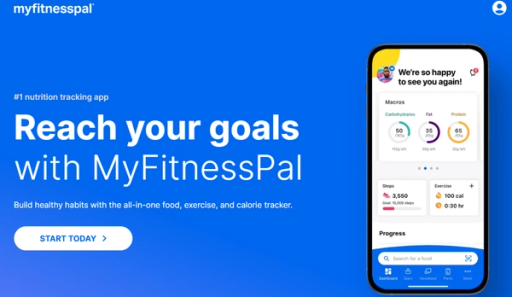
If you’re not new to calorie counting, you probably already know about MyFitnessPal. This all-in-one health solution has over 250 million downloads and remains a customer favorite as the best free macro tracking app. With its help, you can check calories in over 14 million foods, including restaurant dishes.
When searching for foods in the database, you can view their macronutrient (Carbs, Fats, Protein) values in grams and percentages. The Macros tab displays macros in a pie chart graphic in day view. By default, the app distributes fat, carb, and protein calories based on a percentage in five percent increments. You can customize your goals (they must add up to 100%).
Unlocking Premium Features: Advanced Macro Tracking & Fitness App Integrations
The app also provides premium features. With the paid version, you can set carbs, fat, and protein by grams, not just percentages. It allows you to define unique macro goals for each day of the week to align with your workout schedule. You can quickly log macros and calories in each meal and follow your daily progress on the dashboard.
MyFitnessPal supports:
- Apple Watch
- Fitbit
- Garmin
- Samsung Health
- Google Fit and over 35 more connections
Free vs. Premium: Comparing MyFitnessPal’s Features for Smarter Nutrition Tracking
Free features include:
- Logging food and exercise
- Tracking weight, measurements, and progress
- Creating your foods, meals, and recipes
- Viewing macronutrients in grams and percentages
- Customizing calorie goals and macronutrient goals by percentage
- Sharing your diary with others and printing it from the website
MyFitnessPal Premium adds some more features:
- Barcode and meal scanning
- Fasting tracking in real-time
- Food insights and comparison tools
- Net Carbs Mode for low-carb and Keto plans
- Guided meal and workout plans
- Setting unique macro goals for each day of the week
- Quick-logging of carbs, fat, protein, and calories in meals
- You can start a 1-month free trial If you’ve never upgraded to MyFitnessPal Premium.
Pros
- 500+ recipes and 50 workouts
- Connect with 35+ apps and devices
- Tracking with Apple Watch
- Large food database
- Export reports
Cons
- Barcode scanner only available in paid plan
- Ads in the free version
3. Cronometer: The Best Free Macro Tracker
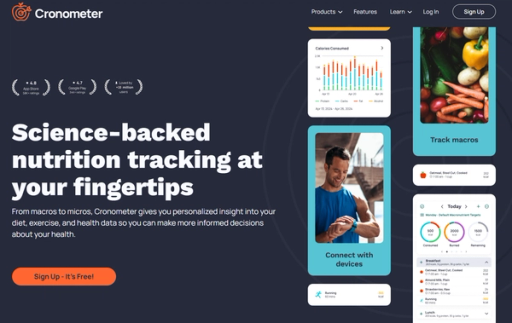
Cronometer is another macronutrient tracker favored by over 10 million users. It provides detailed information on 82 micronutrients, including all the essential vitamins and minerals for weight loss or bodybuilding.
Cronometer stands out from other alternatives by being the best free macro tracking app with a scanner for all users. With their barcode reader, you can quickly match products to the correct items in the database.
Why It Stands Out in Nutrition Tracking
We love that all food items in Cronometer come from laboratory-analyzed sources like the USDA and NCCDB or are verified by a staff member. This means you won’t need to choose between multiple entries for the same product. All macro and micronutrient targets in the app are customizable.
Cronometer syncs with:
- Apple Health
- Health Connect
- Samsung Health
- Google Fit
- Strava
You can also connect:
- Fitbit
- Garmin
- Suunto watches
- Oura Ring
- WHOOP
- Withings scales
- Keto Mojo
- Biosense
- Qardio devices
Which Plan Fits Your Nutrition Goals?
Cronometer’s free features include:
- Access to over 1.1 million verified foods in the database
- An organized Diary screen
- Detailed Macro and Micronutrient tracking
- Barcode scanner
- The ability to log exercise and biometrics like weight, sleep, and heart rate
- A 7-day nutrition report
- Customizable macro and micronutrient targets
- The ability to create custom recipes
The app also offers a paid plan, Cronometer Gold, which provides an ad-free experience with access to a:
- Fasting Timer
- Recipe Importer
- Macro Scheduler
- Time Stamps
- Custom Charts
You can ask for a free trial by signing up for an account and contacting support via email.
Pros
- Free barcode scanner
- 82 micronutrients tracked
- Database of over 1.1 million verified foods
- Integration with various fitness-tracking apps and devices
- Free macros customization
Cons
- Need to contact support to access the free trial
- Ads in the free version
- Missing a lot of restaurant foods
4. Carb Manager: The Best App for Tracking Keto and Low-Carb Diets
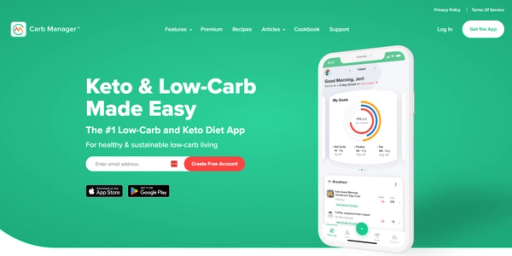
Carb Manager is the best app for tracking macros and net carbs, with a free barcode scanner, thousands of Keto recipes, and an intermittent fasting tracker. With 15 million downloads and an average 4.8 rating in the app store, it’s a popular choice for those following low-carb diets.
Enter your height, current weight, and goals, and the Carb Manager will calculate your daily calorie, carb, fat, and protein targets. The app has an intuitive and user-friendly food-logging system. One standout feature is the Visual “Snap,” which logs everything in an image for you (unlimited daily Snap available only with Premium).
Advanced Tracking with Carb Manager Premium
Paid users also have access to Voice Logging, where you can say, “Hey, Carb Manager,” and tell it what you ate to track your macros effortlessly. In the premium version, you can track additional metrics, such as:
- Sugars
- Fiber
- Specific fats
- Cholesterol
- Vitamins
- Minerals
- Carbs for diabetes management
You can also set macro goals for any diet.
Carb Manager: Free vs. Premium – Which Features Matter Most?
Carb Manager free features include:
- Macro calculator app, including net carbs
- Calorie tracker
- Food logging with a 1M+ item database
- Exercise and workout logging, including cardio and weight training
- Weight loss and BMI tracking with charts
- Database of free, member-submitted recipes
The premium version unlocks additional features, such as:
- Access to 360,000+ recipes, including 5,000 Keto recipes
- Diabetes tracking: blood glucose, ketones, and insulin for meals
- Intermittent fasting and OMAD tracking
- Micronutrient tracking
- Streaks, meal analysis, correlations, benchmarks, projections, and macros analysis reports
- Goal setting and charting for 30+ nutrients and health vitals
- Fitness device connections
- Private groups for family, friends, clients, or social media followers
- Smart meal planner
Carb Manager connects with:
- Fitbit
- Garmin
- BIOSENSE
- Keto-Mojo
- Google Fit
- Apple Health
Pros
- Free barcode scanner
- Free net carb tracking
- Extensive database of Keto recipes
- Intermittent fasting tracker
Cons
- Meal plans require a premium subscription
- UI issues after the last update
5. Lose It!: The Best App for Beginners
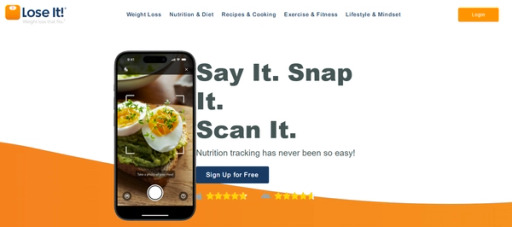
Lose It! is a calorie and nutrition counting tool with over 3.4 million monthly active users. It combines a 50+ million searchable foods database with 25 macronutrients and health goals. With its simple and intuitive design, many users consider it the best macro tracking app for beginners.
With Lose It!, you can track calories, macros, proteins, water, carbs, sugars, body measurements, and even sleep cycles. The app allows you to set basic goals, log food from the database, create your own, and stay within your calorie budget. The free version is quite limited, and users must upgrade to premium for advanced nutrient tracking.
Lose It! Free vs. Premium: Unlocking the Full Potential of Your Weight Loss Journey
Lose It! free features include:
- A personalized weight loss plan
- Logging with personalized search rankings
- Syncing health apps and tracking exercise
- Adding friends and joining groups
Paid features include:
- Barcode scanning
- Advanced macro tracking
- Meal and exercise planning
Lose It! also connects with:
- Fitbit
- Misfit
- Garmin
- Withings
- Google Fit
- HealthKit and more
Pros
- Easy-to-use interface
- Large food database
- Syncs with fitness apps
- Calorie scheduling
Cons
- Basic features are minimal
- Barcode scanner available only in Premium
- Advanced macro tracking is paid
6. Lifesum: The Best App for Tracking Nutrition and Healthy Eating
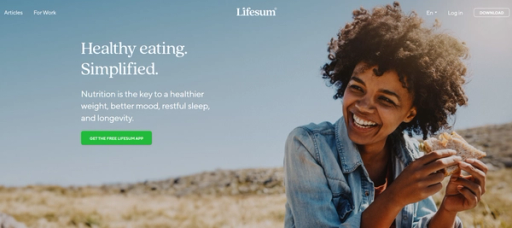
Lifesum is a free macro tracker (protein, carbs, and fats) and calorie counter app. When you create a basic account, the tool provides daily nutritional recommendations tailored to your goals and metrics. You can search for food in the database and categorize it as breakfast, lunch, dinner, or snack. Lifesum automatically calculates the nutrients you consume.
The app also includes a Life Score feature. Here, you can indicate your food preferences (e.g., vegetarian, vegan) and any allergies.
Lifesum: A Comparison of Free and Premium Features for Tracking Nutrition and Fitness
Lifesum’s free version offers a limited set of features that allow to:
- Track food, calories, and macros (protein, carbs, and fats)
- Access a food database with detailed nutritional information
- Use a barcode scanner for quick food logging
- Track body measurements (with limitations)
- Connect to fitness trackers
- View limited statistics on daily dietary intake
Lifesum also offers a premium plan with three auto-renewing subscription options:
- Pricing:
- $14.99/month
- $29.99 for 3 months
- $99.99 for a year
The premium plan includes:
- Adjusting macronutrient and calorie goals
- Net Carb tracking (available for the US market only)
- Weekly Life Score based on your food intake
- Personalized meal plans
- Intermittent fasting
- Specialized diets (Keto, Mediterranean, High Protein, Clean Eating, Scandinavian, Climatarian)
- Ratings for foods, meals, and entire days
- Detailed nutritional information for meals (e.g., sodium, fiber, cholesterol)
Lifesum connects with:
- Apple Health
- Google Fit
- Samsung Health
- Fitbit
- Runkeeper
- Withings
Pros
- Free barcode scanner
- Intuitive dashboard
- Sync with health and fitness apps
Cons
- Adjusting macro goals requires a premium
- Frequent ads in the free version
- Limited options for tracking nutrients
7. Fitbit: The Best App for Tracking Activity and Nutrition
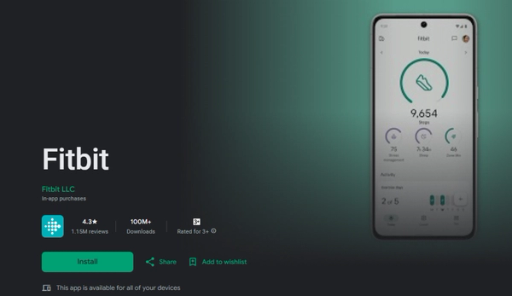
You shouldn’t overlook their mobile app if you use Fitbit trackers. The technology works well for brand users and those searching for the best free macro tracking app. Select the “Just use the app” option when registering if you don’t have a Fitbit device.
With Fitbit, you can log your meals, track exercises, and record your steps, among many other features. If you’ve been logging food, the app provides a breakdown of your macro intake over the past week, automatically dividing it into:
- Carbs
- Fat
- Protein
Maximizing Your Health Tracking with Fitbit: Free vs Premium Features
Fitbit offers the following free features:
- Track steps and distance
- Set goals and track progress with achievements
- Heart rate tracking, Active Zone Minutes, and Sleep Score (available with a tracker or smartwatch)
- Nutrition and water tracking
- Audio sessions for meditation and breathing exercises
- Menstrual health, weight, and glucose tracking
- Access to a list of fulfilling recipes (preview only)
Fitbit Premium also offers:
- Daily readiness score
- Workout videos, a wellness report, and complete tips for healthy meal tweaks.
Pros
- Works seamlessly with Fitbit trackers
- Tracks a wide range of health metrics
- Meditation and breathing audio sessions
Cons
- Limited features without a Fitbit device
- Limited macro tracking
8. FoodNoms: The Best App for Detailed Nutrition Insights
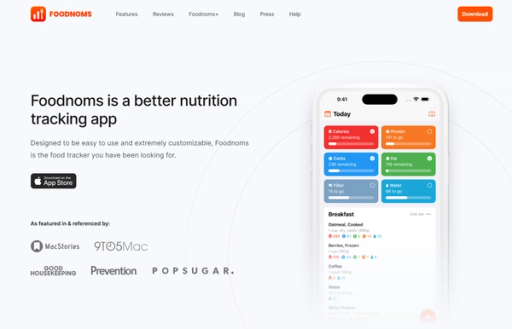
FoodNoms ranks as one of the best free calorie and macro trackers with encrypted iCloud sync. User data here syncs securely via your iCloud account and integrates with Apple Health. You can scan barcodes for free, with the database containing over 450K branded products, an 85% match rate in the United States. You can also scan nutrition labels if a food item doesn’t exist in the database.
Users can set specific nutrition goals to lose or gain weight or improve their health. FoodNoms’ standout features include the detailed nutritional breakdown when logging food, including lipids, carbohydrates, minerals, and vitamins. It offers much more detailed insights compared to many other macro counting apps.
Exploring FoodNoms: A Comparison of Free vs Premium Features
FoodNoms also has some other free features:
- Calorie and macro tracking
- Barcode scanning
- Full database access
- Recipes and meals
- Apple Health export
- CSV export
- Basic notifications
FoodNoms+ subscription unlocks additional features such as:
- Water and drink tracking
- Sodium, fiber, and saturated fat tracking
- Net carbs
- Advanced resting energy options
- Ask AI for food insights
- Custom meal types
- Caffeine and alcohol tracking
With FoodNoms+, you can access:
- Portion size estimation
- Low-calorie notifications
- Automatic intermittent fasting goals
Pros
- Unlimited food tracking
- Free barcode and nutrition label scanner Log food with Siri and the Shortcuts app Custom notifications
Cons
- No Android app available
- Limited connections to other apps/devices
9. MyNetDiary: The Best Free Macro Tracker for Weight Loss
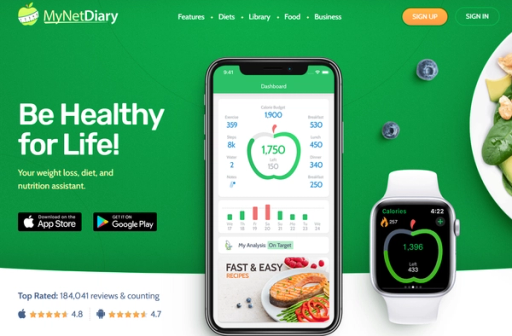
MyNetDiary is the best free macro-tracking app for weight loss. Its database includes over 1,660,000 verified foods and up to 108 nutrients. The app lets you log your foods, create meals, and add favorites.
You can also track:
- Calories
- Total fat
- Carbs
- Protein
- Saturated fat
- Trans fat
- Sodium
- Dietary fiber
- Calcium
The app also provides notifications for your next meal, weigh-ins, and other reminders.
Maximizing MyNetDiary: A Guide to Free and Premium Features
MyNetDiary free features include:
- Food tracking (calories, fats, carbs, protein, etc.)
- Exercise tracking
- A weight chart for one month
- The ability to set targets for date, weight, weekly rate, and calorie budget
The premium version offers:
- Customization of macros (adjust the ratio of carbs, fats, and proteins)
- AutoPilot planning that adjusts your daily calorie targets
- Nine more types of charts, including nutrients, calories, and body measurements
- Six types of reports with options to print and export to Excel
- Tracking up to 20 body measurements (e.g., BMI, BMR, hips, waist, chest, body fat, bone weight, hours of sleep, step count)
- Blood glucose and diabetes tracking
MyNetDiary Premium members also benefit from an ad-free experience and priority technical support.
Pros
- Extensive database with over 1,660,000 verified foods
- Free food and exercise tracking
- Notifications for meals and weigh-ins
Cons Many advanced features require Premium.
10. MacrosFirst: The Best Free Macro Tracker for Custom Goals
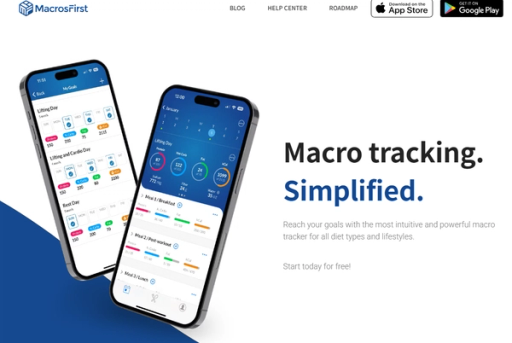
MacrosFirst is an expert-approved best macro calculator that allows users to create custom daily goals and unlimited personalized meals for free. The app auto-calculates serving sizes using a simple two-step food logging method. MacrosFirst offers a database of over 5 million meals and a free barcode or smart label scanner.
One of the standout features is the ability to schedule different meals and goals for each day of the week, making it ideal for those with specific training plans. MacrosFirst integrates with:
- Apple Health
- Health Connect
- Seismic
- Google Sheets
- Apotheo
- Terra
- Coach Catalyst
Fit Coach Pro provides a wide range of connectivity options.
Exploring MacrosFirst: Free vs. Premium Features for Ultimate Macro Tracking
MacrosFirst’s free features include:
- Custom daily macro goals
- Unlimited custom daily meals
- A database of over 5 million food items
- Free barcode and smart label scanner
The premium version adds more advanced options:
- Export meal history
- Google Sheets importer
- Save the day and meal notes
- Net carb tracking
- Water intake tracking
Premium users can also follow an unlimited number of friends and view their daily logs and nutrition averages.
Pros
- Free barcode scanner
- Ability to create custom daily macro goals
- Large food database
- Extensive integration options
Cons Net carb tracking is available only in premium
11. Trifecta: The Best Macro Tracker for Meal Delivery
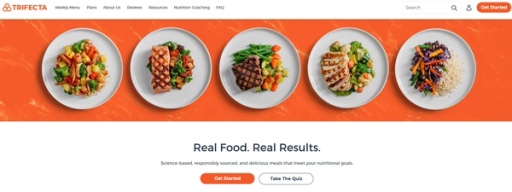
Trifecta is a ready-to-eat meal delivery service that combines nutrition-focused meals with one of the best macro trackers. The company offers organic meals that are macro-balanced and cater to:
- Paleo
- Keto
- Vegan and more preferences
Their plans provide high-protein options and healthy ingredients that make it easier to maintain a balanced diet.
The Trifecta app allows users to log meals, snacks, and beverages while tracking water intake, exercises, and more. When you register, you specify goals, dietary preferences, activity level, and body metrics, and the app tailors a plan for you.
Enhancing Hydration and Branding: The Role of Custom Water Bottles in Employee Wellness
Using an app for water intake tracking and incorporating stylish logo water bottles can complement your employer’s branding strategy. Custom-designed water bottles help remind your team to stay hydrated and add a touch of uniqueness to your gear.
The downside to the free version is that macros aren’t visible on the dashboard. You can still access detailed nutritional breakdowns for each food you log. Upgrading to the premium version gives you access to over 17 macro metrics. You can also start with their free macro calculator with a quick survey.
Maximizing Health with Trifecta: Free and Premium Features for Meal Tracking and Nutrition Management
Trifecta app free features include:
- Water tracking
- Free barcode scanner
- Workout timers
- Logging meals, snacks, and beverages
Premium features include:
- Recommendations for daily protein, carb, and fat targets
- Access to a knowledge base with more resources
- Progress charts
- 17 metric nutrition breakdown
- Trifecta also offers a 14-day premium app free trial for new users.
Pros
- Easy meal logging and personalized plans
- Free barcode scanner
- Extensive variety of dietary options
Cons
- Macros not visible on the dashboard in the free version
- Premium subscription is required for more detailed tracking features
12. Argus Calorie Counter & Step: The Best App for Fitness Goals
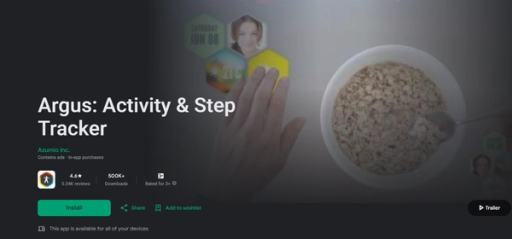
If fitness is one of your top goals when tracking calories, Argus may be a good choice. The Argus Calorie Counter & Step does all the basics—from tracking calorie intake to giving analysis based on inputs—but it also exceeds the norm. Case in point: How about monitoring your heart rate with the tip of your finger and your phone’s camera or using the 24/7 pedometer to measure your steps and caloric output?
The app also has a unique display of honeycomb-shaped tiles highlighting your most pertinent data (coffee and water intake, calories consumed and burned, steps taken, etc.).
Personalized Fitness Tracking: Custom Goals, Sleep Optimization, and GPS Activity Monitoring
Other features we love:
- Choose your goals: You can customize your progress with three goals: lose weight, build muscle, or be more active.
- Sleep tracker: Track your sleep habits and use the company’s proprietary algorithm to wake you up at your lightest stage of sleep—or, in other words, make your morning wake-up call a little easier.
- Multi-activity GPS: Track running, cycling, and even climbing. Note: Running the GPS in the background does wear down the battery time more quickly.
- Workouts: The app provides custom workouts for you to do in your own home. The free app includes upper body workouts, and the premium service includes full access to all workouts.
- Barcode scanner: This is not a novel feature, but it makes it easier to track the calories in packaged foods.
- Community and challenges: Invite your healthy and fit-to-be friends and family to join you on various challenges. Meditation challenge, anyone?
Pros
- Easy to use
- Tracks water
- Fitness focused
Cons Smaller focus on nutrition
13. WeightWatchers: The Best App for Tracking Points
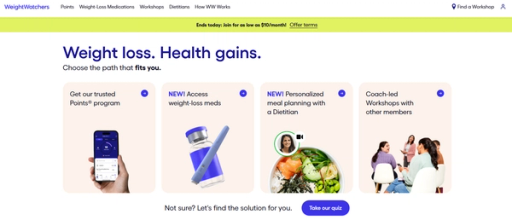
WW, which most people still call Weight Watchers, is very well known in the weight-loss world. Like most tracking apps, your plan is personalized into one of three colors, which helps guide you in your points for each day.
Their large selection of Zeropoint foods (aka “free” foods you can eat anytime without including them in your daily points allotment) helps provide more diet freedom. Spano likes WW for promoting behavior change by assigning lower points to more nutritious foods and higher points to foods with less nutrient value.
Key features:
- Zeropoints foods: There are more than 300 Zeropoint foods, which means you can choose any of these foods at any time without deducting from your total point total. Lean proteins, fruits, vegetables, whole grains, low-fat yogurt, and cottage cheese are all “free” foods.
- Flexible plans: If you don’t like one plan, you can switch to another, which allows you more food freedom and flexibility in your diet.
- Built-in community: When you join the app, you also get the benefits of the WW community and resources, including coaching and daily check-ins.
Pros
- Easy to track
- Promotes nutritious eating
- Built-in community support
- Ability to change plans
Cons Charged after 30-day trial
14. Noom: The Best App for Behavioral Changes
Research supports the effectiveness of the Noom app: A small study with 43 participants found that 64 percent of Noom users lost more than five percent of their body weight, according to results in September 2016 in the BMJ Open Diabetes Research and Care. Spano likes Noom for not just calorie counting but also:
- The ease of tracking blood sugar
- Blood pressure
- Exercise
Noom promotes nutrient-rich foods, which is a plus for supporting a healthy diet.
So why does it work? Noom is more focused on behavior change rather than just counting calories. Depending on your personal goals, this may be a hit or a miss. It’s helpful that the tracking portion of the app is pretty streamlined. Noom also offers courses—for an additional fee—based on your needs.
Motivational Support and Personalized Coaching: Empowering Your Fitness Journey
Other features we love:
- Built-in cheerleader: Although the app is highly streamlined, the free version includes daily inspirational quotes to motivate you.
- Personalization and hands-on support: The paid version also includes a personalized health plan from a dedicated coach and 24/7 support and motivation.
- Novice-friendly: The app is very straightforward, making it an excellent option for those new to tracking their meals, exercise, and weight loss.
Pros
- Easy to use
- Ability to track more than calories
- Promotes behavior change, not just calories
Cons
- Short trial period
- Paid plan is pricey
- Daily weigh-ins
How to Choose the Best Free Macro Tracking App

A comprehensive food database is a cornerstone of any best free macro tracking app. The more extensive and accurate the database, the easier it will be to log meals and track nutritional intake.
A food library should include:
- Branded products
- Fresh produce
- Restaurant meals
- Custom recipes
Barcode Scanning: A Must-Have Feature for Free Macro Trackers
A free barcode scanner is necessary for quickly logging packaged products without manual input. A good app should allow you to scan barcodes and immediately retrieve nutritional information from the database. Some advanced apps may also offer smart label scanning, which extracts data from the nutritional label if the food item isn’t in the database.
Custom Macro Goals: What to Look For in Free Macro Trackers
Consider the best app to count macros with personalized goals based on your needs. It must provide plans for weight loss, muscle gain, or maintenance. Beyond setting simple calorie targets, you should be able to customize the ratio of:
- Carbs
- Fats
- Proteins
For users with more specialized dietary needs, some apps offer tracking for:
- Fiber
- Sugar
- Micronutrients
Meal Planning Features in Macro Tracker
Meal planning features help you organize your daily/weekly intake according to your goals. Some apps offer built-in meal planning that suggests recipes based on your targets. They can also allow you to create and save your recipes for easy logging.
Integration with Other Health Apps and Devices
An app that syncs with your fitness tracker, smartwatch, or health app will allow you to see a complete picture of your health data in one place.
This way, you can cross-reference with your nutritional intake through:
- Activity levels
- Workouts
- Steps
- Heart rate
- Sleep data
Progress Tracking Tools in Macro Tracking Apps
The best macro app should offer visual tools to monitor your progress over time. As a rule, you can view weight charts, calorie and macro trends, or detailed nutrient reports. These insights help you adjust your diet or fitness routine as needed.
Community Support Features in Macro Trackers
Some users enjoy community features that allow them to connect with others on similar journeys. They benefit from group challenges, food diaries, or simple community recipe sharing. Access to a support network can increase motivation and offer tips from other users.
Track Your Calories within Less Than 15 Seconds with Our Calorie Tracker App
Calorie tracking is often tedious and time-consuming, requiring constant log entries that take away from the enjoyment of eating. Goldi AI changes all that with our innovative app that revolutionizes how we track calories and macros. Simply take a photo of your meal and let Goldi AI do the rest.
Our advanced artificial intelligence technology quickly analyzes your food to identify its contents and calculate their nutrition information so you can get back to enjoying your meal in seconds.
How Goldi AI Works
Goldi AI combines your phone’s depth sensor with sophisticated AI models to analyze food volume, identify ingredients, and instantly calculate calories, protein, carbs, and fat content with 90% accuracy on visible foods. Our app gives you accurate nutritional information in under 15 seconds when you scan a full meal or a quick snack.
Goldi AI also supports several tracking options like:
- Barcode scanning
- Food label recognition
- Manual description for complex items like smoothies
Best of all, our AI learns from your feedback, continuously improving its accuracy over time.
Personalized Nutrition Tracking
Goldi AI does more than just take the guesswork out of counting calories and macros - it also helps you reach your fitness goals with personalized insights and brilliant reminders. Whether you want to lose weight, gain muscle, or fuel your athletic performance, Goldi AI can help you stay on track.